
Sales replies
Save pricing, availability, demo, quote, and follow-up messages.
WA Web templates
Keep sales replies, support answers, follow-up messages, broadcast copy, and onboarding text close to WA Web Utils so high-volume conversations stay consistent.
Workflow
Templates reduce typing and keep high-volume conversations from becoming inconsistent.
Save pricing, availability, demo, quote, and follow-up messages.
Reuse common issue responses, troubleshooting steps, and status updates.
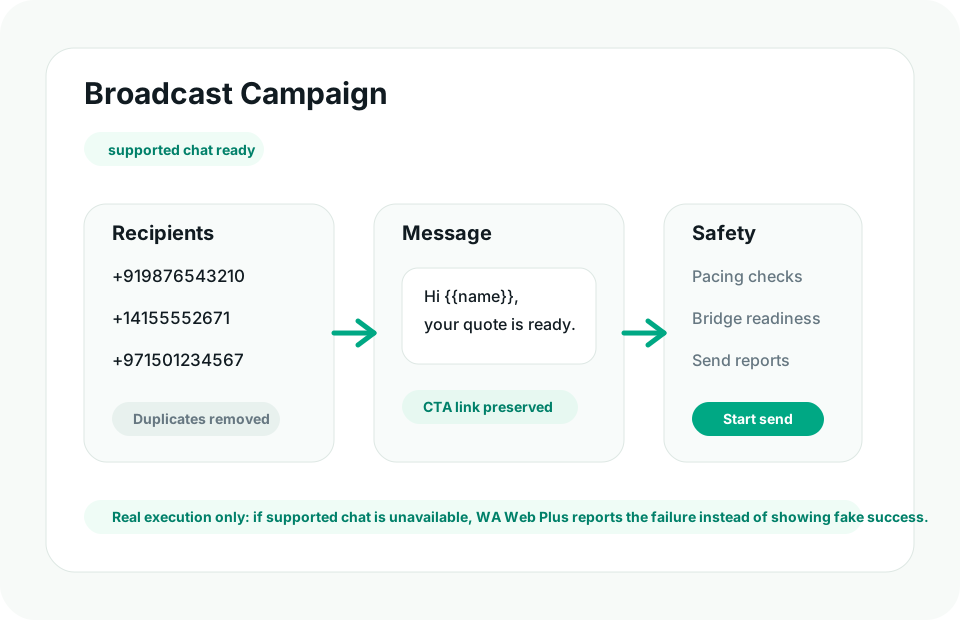
Keep broadcast messages consistent before they reach customers.
Standardize welcome, setup, and next-step communication.
Reduce rushed manual typing when chat volume spikes.
Help different operators use the same approved language.
Start with messages your team types more than once a week.
Separate sales, support, onboarding, payment, and campaign copy.
Insert consistent replies from inside the WA Web workspace.
Guide
Templates matter when WA Web is your front desk. They help operators reply faster while keeping tone, details, and next steps consistent.
FAQ
Teams can prepare reusable text for pricing, demos, support answers, onboarding, payment reminders, campaign replies, and follow-up messages.
Templates reduce repeated typing and keep customer replies consistent when several operators handle similar WA Web conversations.
Ready
Install WA Web Utils and choose the plan that matches your template workflow.